

This past week, the product I work on celebrated its 25th birthday. On March 2nd, 2001, SharePoint was first released as part of Office XP. A quarter century later, SharePoint has over one billion yearly users, two billion files added daily, and a vibrant community of creators and experts (We just crossed three million people who list SharePoint as a skill or part of a job description on LinkedIn). It’s also the most popular grounding source for Microsoft 365 Copilot, attaching to larger waves like it has done many times over the decades.
For about four months, the team has been planning an event that marks the moment, including:
Public previews of new user experiences and AI enhancements to the product.
A digital event that recognizes the community & announces these new product enhancements.
Blogs, demo videos, and website updates to reframe the product for the new era.
An employee event to celebrate as a team & a smaller founders’ dinner to bring together the original builders with the current leadership.
You can view a recording of the digital event here:
Marking these milestones is an important part of building a resilient product and ecosystem. And launching product and managing digital events is a skill we’ve been building capabilities around for years within my organization, in tight partnership with design and marketing.
Here are 10 tips for any product leader sculpting a product announcement event.
Tip #1: Respect the fans
When we started planning for the event, our first principle was that we didn’t want to turn the event into an ad for our product. There were 25 years of history – careers built, events attended, projects launched on top of our platform – to recognize. And a vibrant community that is embracing new ways of working.
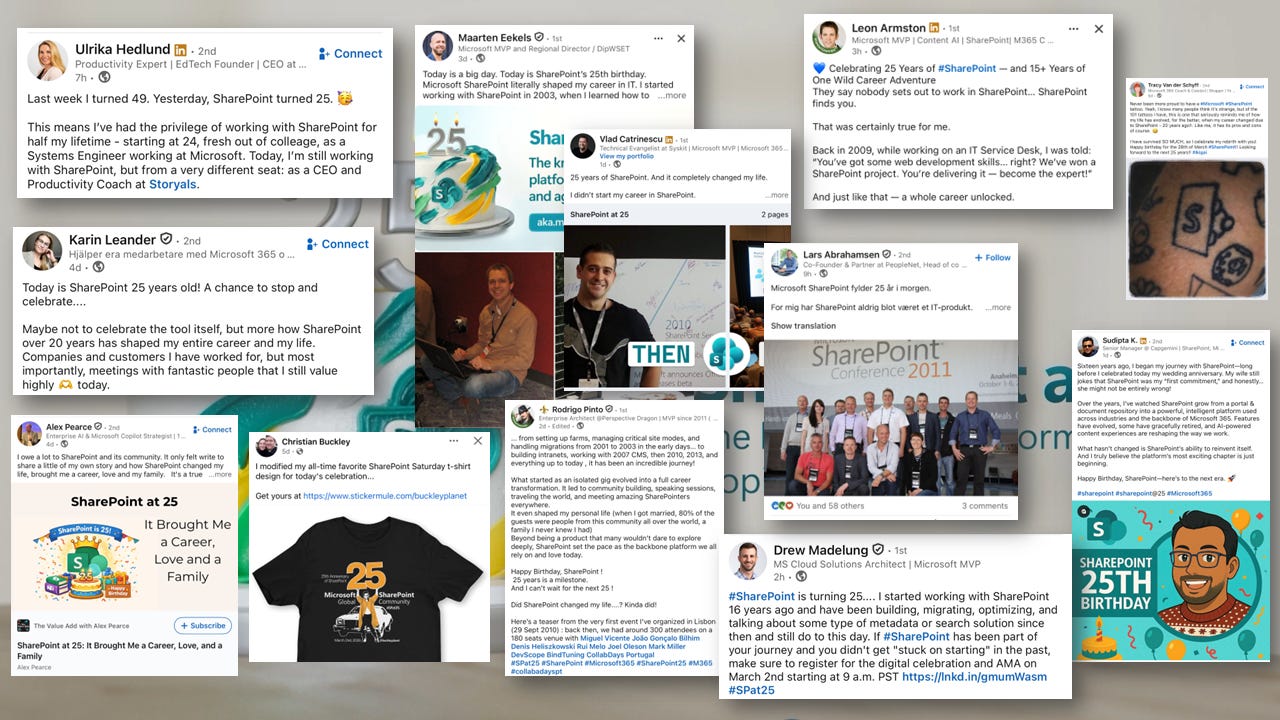
To recognize this, we started our digital event with a huge thank you to the community and showed a preview of a movie we are producing called “Beyond the Code” that gives voice to the community and puts people at the center of the storytelling.
Tip #2: Balance the past and future with intention
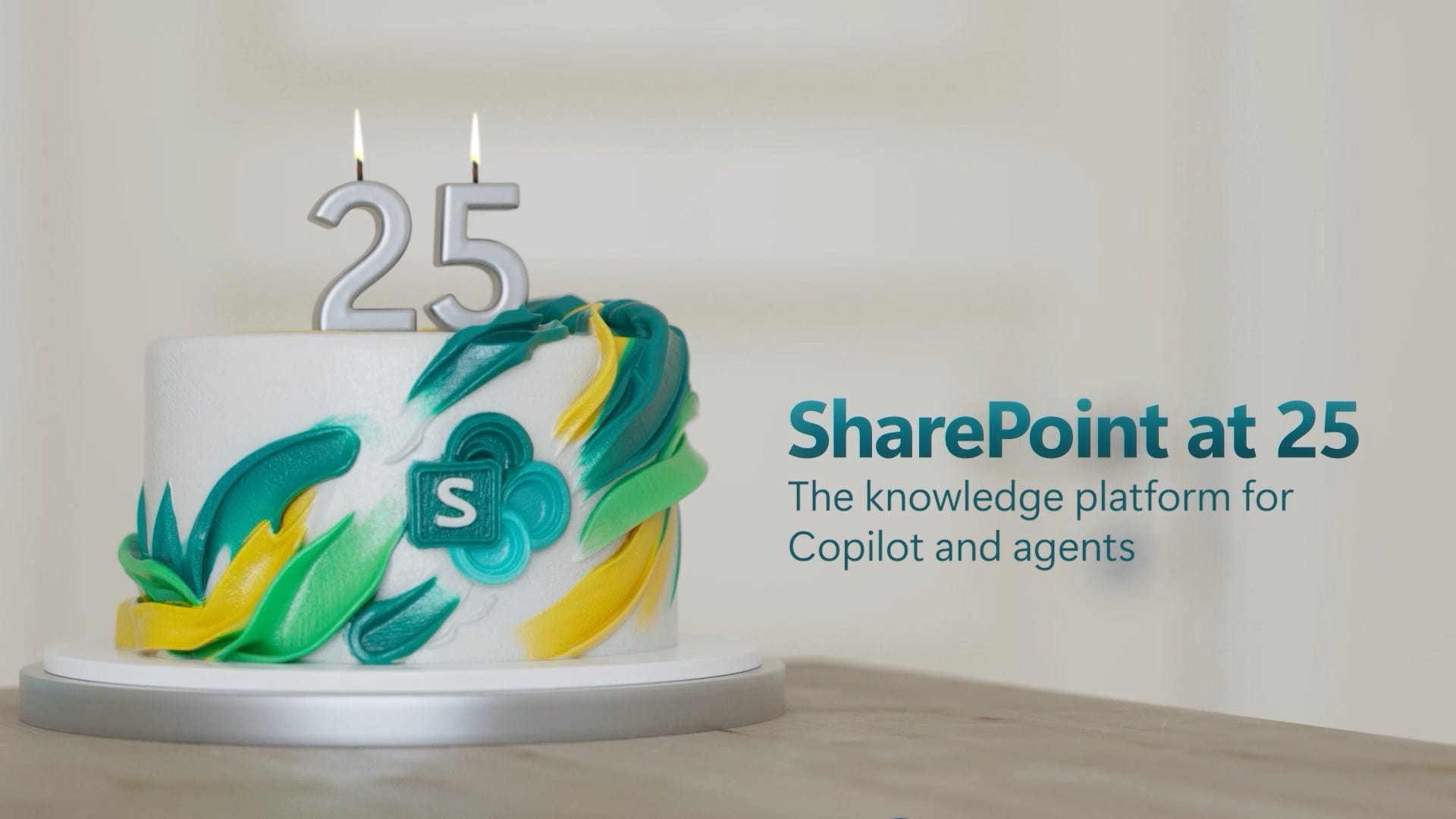
We also had a principle that we wanted the moment to look forward – to the next 25 years. After some debate, we landed on a goal of 80% looking forward, 20% recognizing where we’ve been. We baked this into how we thought about the event, for instance with its primary graphic: A tagline all about the future, with some graphics that nod to history and the moment:
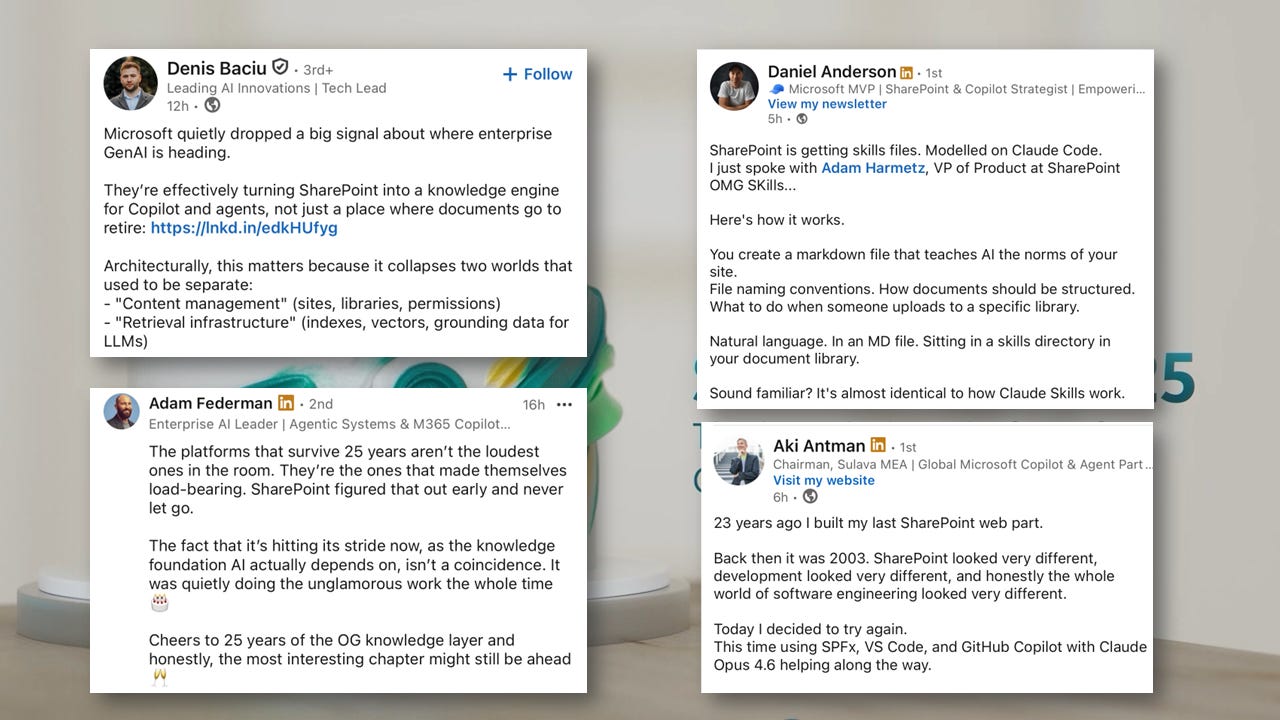
We also turned the birthday into an engineering delivery milestone – ensuring new innovations were ready to be announced on the day. This allowed us to lay down a clear vision framework, back it up with new product releases, and generate buzz about what’s new. I was happy to see that attendees anchored on the future in their social recaps:
Tip #3: Show, not tell
People love stories and they love seeing things in action. They don’t love having things described to them. So, another principle we lived by for this event is to “show not tell.” This came out in two flavors.
First, where possible, customers shared their scenarios - in their own words. It was intentional that we closed our live broadcast with customer testimonials.
Second, when we had a choice, we let the product speak for itself vs. telling people about the product. For instance, our design and video production team produced an “Anthem” video, a 2-min tour that shows the product at its best:
Tip #4: Explain your product in basic terms
One thing missing from v1 of our event script that we caught during the review process was a simple restatement of what people hire our product to do. We were so focused on the new product announcements that we didn’t put ourselves in the shoes of the audience enough.
This reminds me of this graphic by John Cutler (who runs a great product Substack called The Beautiful Mess):
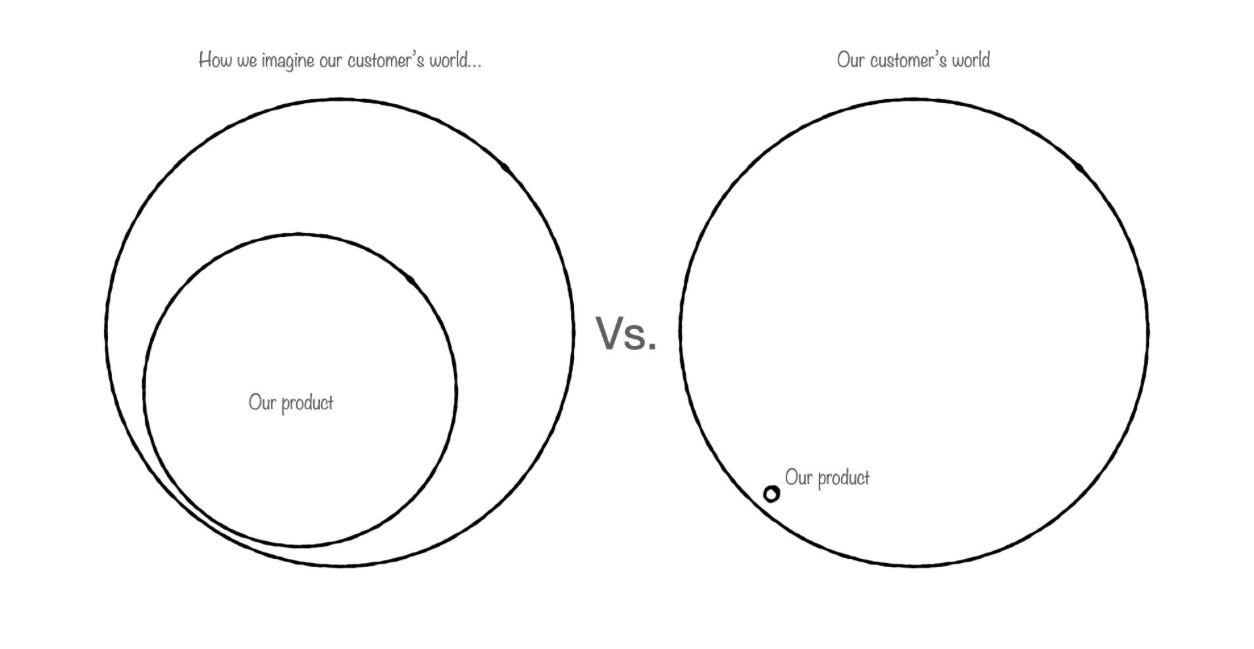
Our fix was simple - before getting into the product news on the live broadcast, my design counterpart and I spent the time synthesizing the top 3 major use cases for the product, told through customer examples.
Tip #5: Deliver different content, tuned to various audiences
It was a relatively last-minute decision for us to split our blog strategy into two: My boss would have the byline on a short post on a primary Microsoft blog that was designed to garner some press attention. I would be the assigned author for a long and detailed post designed for our community and current customers. (Fun fact: Those blog posts are written by a team of a dozen of us across marketing, product & design, despite a single byline on the post itself).
This type of audience bifurcation is important to maximize reach – and it also inspires the best content ideas because you aren’t trying to make everything appeal to everyone.
For instance, an engineering leader on the team wrote a technical deep dive on our new AI architecture. The post isn’t for everyone - it’s by a dev for devs to read - but that type of “long tail” content can connect with a reader in a stronger way than the high-level content.
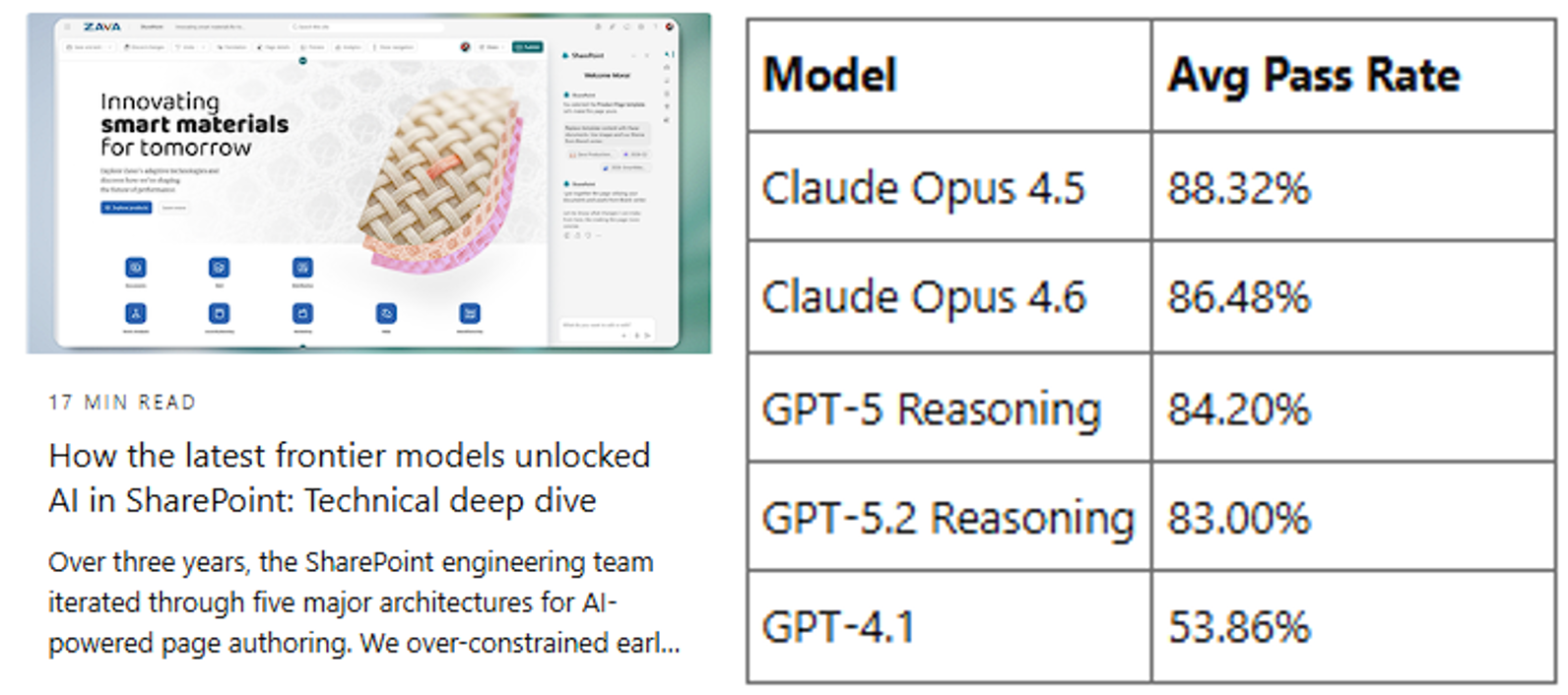
The extended content should relate back to the main points you are trying to get across. In this case, this technical deep dive enabled us to explain that the AI functionality we delivered was only possible because of the latest frontier AI model advancements of the past few months, reinforcing that customers can draft behind the latest advancements by using the product.
Tip #6: Simplify momentum & customer stories
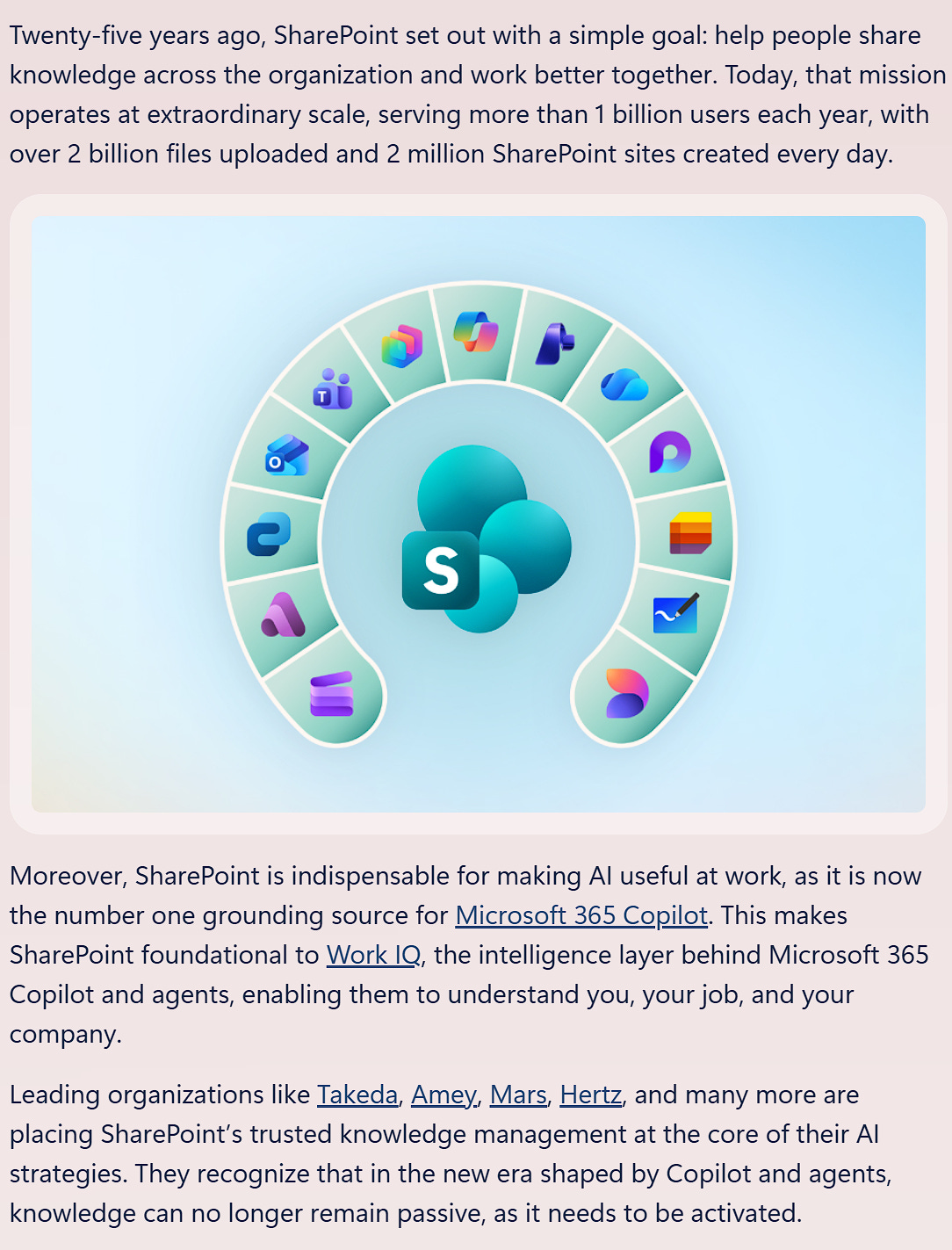
One truth I’ve learned is that the toughest paragraph of the blog post is almost always the first one. There are three goals when deciding how to start a product announcement blog:
Establish credibility and momentum for the product
Speak in the language of customers & reference their successes
Cement the narrative of how the product and the announcements are part of a larger story.
Here’s where we ended up with our most recent launch:
Tip #7: Have clear calls to action (CTAs)
Early on when you are planning an event, write down exactly what you want audience members to do after they attend the show. For instance, our CTAs were:
Turn on the public previews of the new feature announcements in your Microsoft 365 tenant
Participate in a hackathon to see what you can build on the platform
Share your story and history of the product, to recognize the moment
Join us at the upcoming Microsoft 365 Community Conference in April.
Oftentimes, teams get so caught up in describing the new feature or announcements that they leave CTAs as an afterthought. If you bake it in up front, you can tailor your content strategy. For instance, I mentioned our hackathon is the very first sentence of our detailed blog post. And we held the final version of our community video to premiere at the upcoming conference, allowing us to reinforce the conference during our broadcast.
Tip #8: Establish a quality bar
These product launch events are just like weddings - they can be planned in a day, or they can be planned in a year. They will fill whatever time you give it.
Ensure the workback time is well spent - especially by setting a quality bar, giving clear guidance on how far from the finish line something is, and in general setting a culture of going the extra mile. It’s an important tone to set “from the top” early on in the workback.
I talk about this in my recent essay on how to edit work:
✍️How to Be a Great Editor

One of the worst things you can do as a Product Leader is to be on autopilot when giving feedback - freely sharing your unstructured opinions without regards to the final outcome or the personalities involved. I’ve heard a name for the type of executive who does this often:
The editing to be done here can be both big & small.
Example of big: I decided a week before the event that our customer testimonials weren’t strong enough, and I asked the team to go hunt for more.
Example of small: I sweated every detail of the blog post, for instance ensuring we never take possessive ownership over the product or customers (i.e. it’s never “our customers” or “our product”). And I ask for a “de-jargon” pass - removing insider terms or non-humanistic language.
Tip #9: Make each member of the cross-functional team feel seen
One of the best things about these events is that it brings every discipline in the product making process together in a way that let’s everyone see others doing their best work - and stresses that so much of enterprise software is more than just the code written. For instance:
Product: Putting customer scenarios at the center of demos, landing schedules, evangelizing the news
Marketing: Simplifying the complex, aligning to bigger narratives and missions, attaching to larger funnels.
Design: Leading how the product is showcased, co-delivering the messages, graphics & swag elevation
Engineering: Delivering on time, describing the architecture and tech bets.
Community organizers: Collecting fan feedback, nurturing watch parties, attaching to community events.
Customer experience PMs: Finding customer case studies, synthesizing statistics from previews
Data science: Synthesizing evidence to support the message, assessing readiness to launch
Chief of staff and executive assistants: In person event execution, decorations, logistics, and keeping everything running smoothly
Event producers: Setting a bar for production quality, owning the workback, preparing on screen talent
Video producers: Visual narrative, polish, production quality
There is a member of my LT who drove this event as the primary event producer - she’s been in tech for decades but has a degree in film. It was so fun to see her in her element - fully activated by what she loves to do and what she does well.
It’s a great reminder that certain work activities - especially those with a “big day” to lead up to - are fantastic for helping a team bond and celebrate a shared success.
Tip #10: Have fun
It can be so easy to get caught up in the workback, deadlines, unexpected hiccups, and urgent review cycles. It’s important for you as the product leader to navigate through this with a sense of levity, celebration, and gratitude. Breath. Recognize the work. Remind people what a privilege it is to have people who are interested in the product you create. Have fun.
In that vein, I’ll leave you with our blooper reel: